Compile, test and deploy to QIE from one workspace.
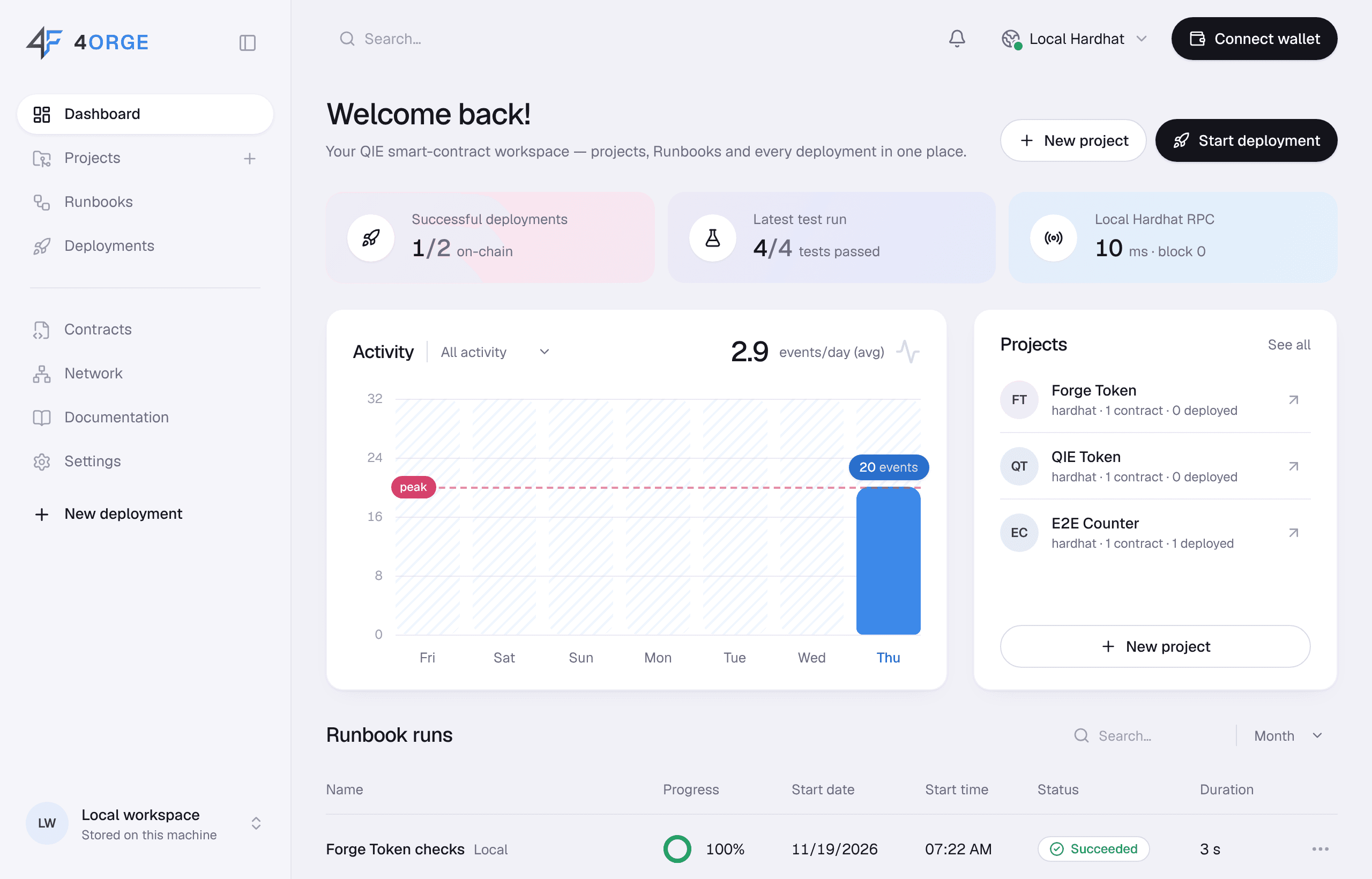
4ORGE replaces the pile of scripts, terminals and spreadsheets between your Solidity code and a verified deployment. You review and your wallet signs. Every receipt is checked on-chain.
- QIE Testnet (chain 1983) checked live
- Keys never leave your wallet
- Open source · MIT
The problem
Ten tools between your code and a deployment.
Compiler versions, dependency installs, test runners, RPC URLs, deploy scripts, wallet setup, explorers, and a spreadsheet of addresses. Every step is manual, easy to get wrong, and has to be repeated whenever a contract changes.
- Hunt for the right solc version
- Copy RPC URLs from forum posts
- Hope the deploy script used the right network
- Trust a transaction hash in a terminal
- Paste addresses into a spreadsheet
- Compiler chosen from your pragmas, checksum-verified
- Chain ID verified live before anything is sent
- One Runbook you can review, rerun and export
- Receipt validated against the chain
- Permanent, searchable deployment history
Runbooks
Your deployment process, written down once.
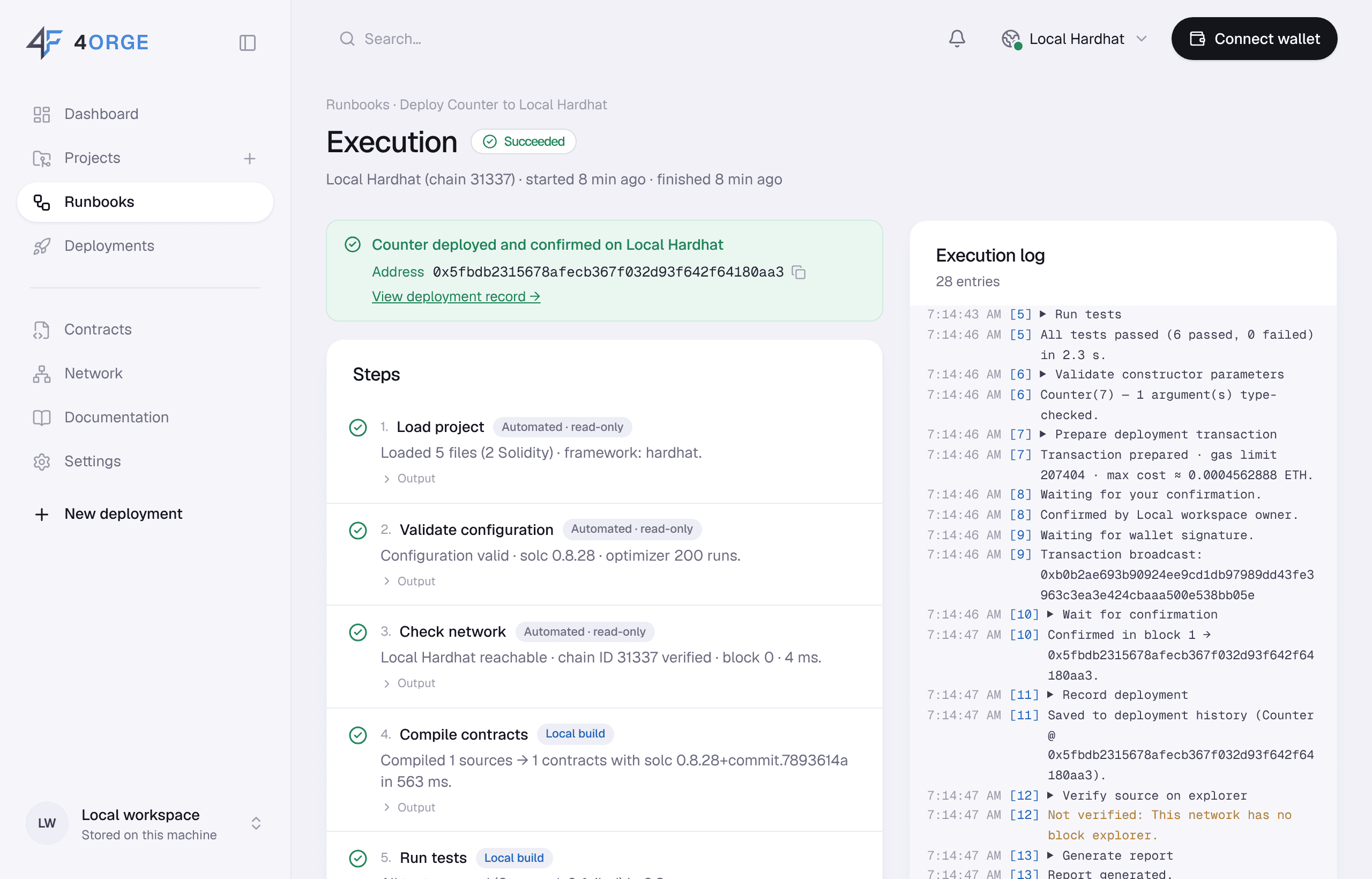
A Runbook is a versioned, declarative workflow. Every step comes from an allowlist and is tagged by what it is allowed to do. 4ORGE runs the automated steps for you and stops for the two things only you can do: review and sign.
- 1Load & validate projectAutomated
- 2Check QIE chain IDAutomated
- 3Compile with solcLocal build
- 4Run Hardhat testsLocal build
- 5Type-check args, estimate gasAutomated
- 6Your reviewHuman
- 7Wallet signs & broadcastsWallet
- 8Receipt validated on-chainAutomated
schema: 4orge.runbook/v1
name: Deploy QieToken to Testnet
network: qie-testnet
target:
  contract: QieToken
  constructorArgs: ["0xYourOwner…", "1e24"]
steps:
  - { id: load,    uses: project.load }
  - { id: network, uses: network.check }
  - { id: compile, uses: contracts.compile }
  - { id: test,    uses: contracts.test, with: { required: true } }
  - { id: args,    uses: deploy.validate-args }
  - { id: prepare, uses: deploy.prepare }
  - { id: confirm, uses: human.confirm }
  - { id: sign,    uses: wallet.deploy }
  - { id: receipt, uses: tx.confirm }
  - { id: record,  uses: deployment.record }
  - { id: verify,  uses: contract.verify }
Unknown keys and step types are rejected. A wallet step must always be followed by on-chain confirmation and recording. Runbook reference →
Every step accounted for
Watch it run. Keep the receipt.
Each execution streams its steps and logs live, shows exactly what your wallet will sign, and ends with a downloadable report: contract, network, deployer, transaction, address and constructor arguments.
Security
Built to be trusted with real deployments.
No keys, ever
4ORGE never asks for, stores or sees a seed phrase or private key.
No code in Runbooks
Only 13 allowlisted step types. There is no shell or script step to abuse.
Imports are untrusted
Paths are validated, configs are read as text, and builds run in limited processes.
Receipts, not promises
Success is recorded only after the chain itself confirms the deployment.
Mainnet locked by default
Testnet first. Mainnet needs a deliberate switch by the owner.
Private by design
With Supabase, every table is protected by Row Level Security.
From zero to Testnet in four steps.
Create a project
Template, folder upload or GitHub import.
Compile & test
Real solc, real Hardhat, real results.
Start a deployment
Pick the contract, enter arguments, keep Testnet.
Review & sign
Approve in your wallet. 4ORGE confirms on-chain.
Ship your next contract with confidence.
Runs locally with one command. No account needed to try it.